SDS management software
with a searchable, always-current library

A single source of truth for every Safety Data Sheet across every site. Version-controlled, deduplicated, and continuously checked against supplier updates so your library is never stale.

500,000+safety data sheets indexed
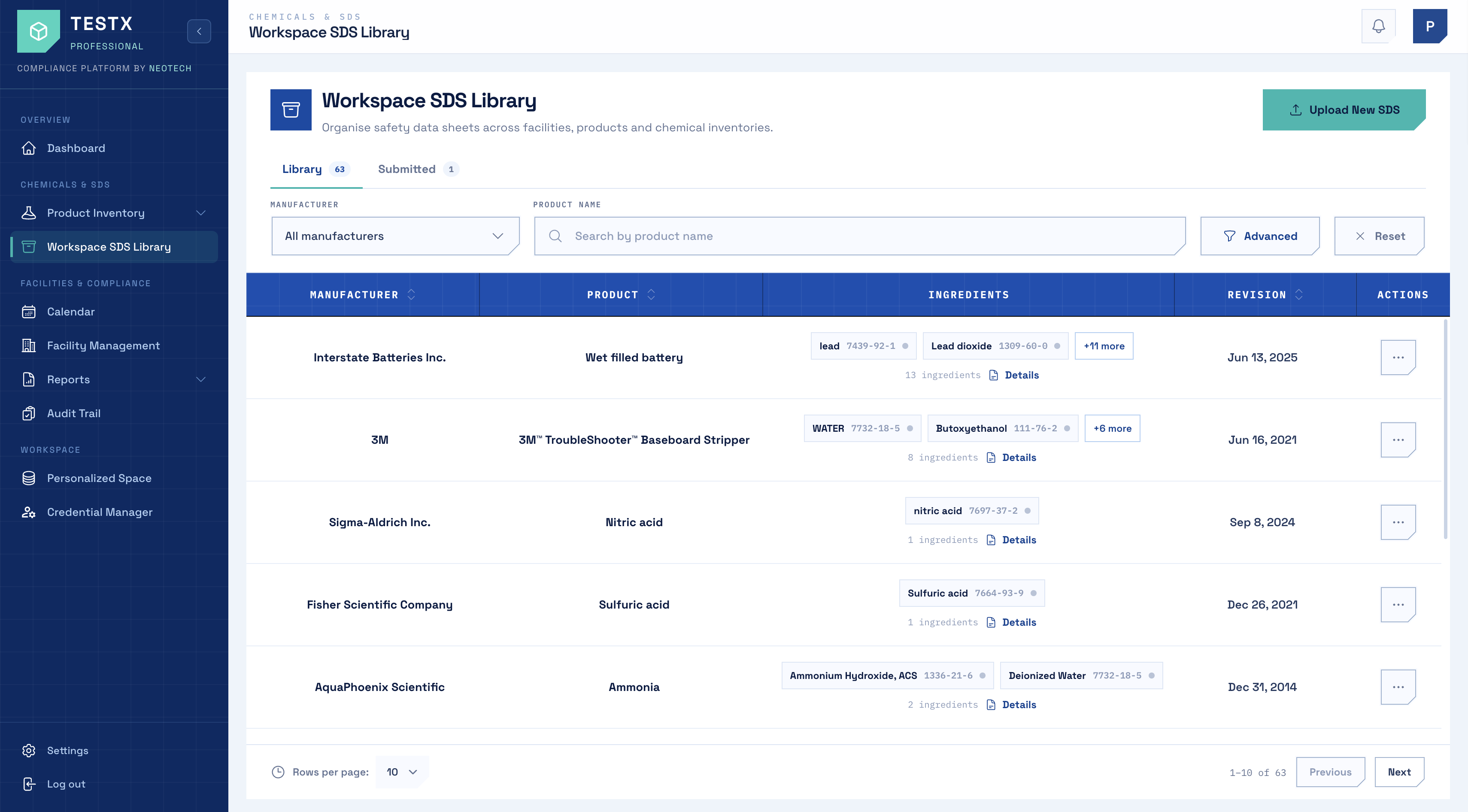
Live SDS workspace
Workspace SDS Library dashboard

How safety data sheet management works

Bring safety data sheets into your workspace, review the extracted information, and organize approved SDS records in one library.

01

Upload an SDS PDF

Upload a safety data sheet PDF to begin processing.

02

Extract SDS information

Extract information from the uploaded SDS for review.

03

Review on the Submitted tab

Review the extracted information on the Submitted tab before approval.

04

Approve into the Library

Approve the reviewed SDS into your workspace library.

Another way to add an SDS: You can also find an SDS in the global library and use "Add to Workspace" to bring it into your workspace.

Most SDS libraries are a shared drive, a binder in a cabinet, and a spreadsheet that lists neither accurately. When an inspector asks for the current sheet for a product, or a responder needs a hazard class at 2am, the question is not whether you have the document - it is whether you can find the right version of it quickly enough to matter.

What it does

Version history with supersession tracking

Every sheet keeps its full revision history. When a supplier issues a new version the old one is superseded rather than overwritten, so you can show exactly which sheet was in force on any past date - which is the thing an auditor actually asks for.

Full-text search across hazards, CAS and synonyms

Search the contents of the sheets, not just their filenames. Look up a product by trade name, CAS number, or a synonym a supplier used three years ago, and filter across GHS hazard classes to answer questions like "what flammables do we hold in Building 2".

Secondary-container labels and binders

Generate GHS-compliant secondary-container labels straight from the sheet data, and print site or building binders on demand so the physical copies OSHA HazCom expects match what is in the system.

Feeds inventory and Tier II directly

The library is not a silo. Hazard classes and physical properties captured here flow into chemical inventory and into EPCRA Tier II reporting, so a sheet is read once and used everywhere.

Common questions

What is SDS management software?
SDS management software stores and indexes your safety data sheets so they are searchable, version-controlled, and accessible to everyone who needs them. It replaces shared drives and paper binders, and keeps a defensible record of which sheet was current at any point in time.
Does OSHA require a safety data sheet library?
OSHA's Hazard Communication Standard requires employers to maintain safety data sheets for every hazardous chemical in the workplace and make them readily accessible to employees during each work shift. It does not mandate a particular format, so an electronic library satisfies the requirement provided access is genuinely immediate.
How do safety data sheets relate to Tier II reporting?
Tier II reporting under EPCRA Section 312 needs hazard classifications and physical state for every reportable chemical - all of which lives on the SDS. Keeping the library current is what makes annual Tier II preparation a data exercise rather than a document hunt.
How do I move our existing SDS library into NeoTech?
You can bring existing SDS documents into your NeoTech workspace by uploading SDS PDFs. Uploaded sheets go through extraction and review on the Submitted tab before being approved into the Library. If the SDS already exists in the global library, you can use Add to Workspace. For large-scale migration, contact the NeoTech team to confirm the available import options and migration support.
How do employees access the current SDS?
Employees access the current SDS records through their NeoTech workspace using their assigned account and permissions. Workspace access and roles determine which records users can view. Public SDS Search is a separate service and should not be confused with access to your organization's workspace library.
Get started

See your next Tier II, before March.

Book a 30-minute walkthrough and we'll run threshold screening on one of your own facilities during the call.